
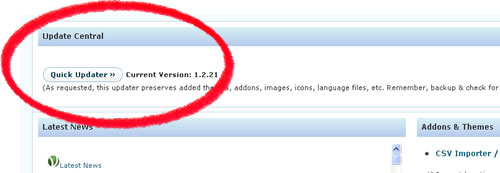
 It’s been quite a while since since an update has been posted here on our blog, and hopefully, updates will start to become more and more frequent. Still working very hard on incorporating all of your feedback into this Store Locator plugin.
One important piece of feedback from many of you that have upgraded with addons and themes has been that the built-in WordPress updater deletes all of your addon and theme folders — and it’s been an inconvenience re-uploading the folders.
Well, now, as of version 1.2.21, a ‘Quick Updater’ button has been added to the ‘News & Upgrades’ page. This button functions almost like the WordPress auto-updater, EXCEPT that it should not remove your addons, themes, and other extras such as icons and languages.
One note though, when adding icons make sure to create a differently named icon instead of simply naming a new icon the same as a default icon so that the new icon does not get overwritten during the Quick Update. Enjoy! Your feedback on the Quick Updater is welcome here.
Go to Store Locator Page | Download Store Locator WordPress Plugin Now
Hey there this is google here.. lvoe the site by the way.. keep up the good work